Generation and Render of 2D Map with Terrain in Dart + Flutter. Adding Forest Spots. Part 2

Introduction
In Part 1 we created all needed methods to generate map with Grass and River. In this part we will add Forest spots to the map. A lot of code is reused from Part 1 but it is gradually enhanced step-by-step.
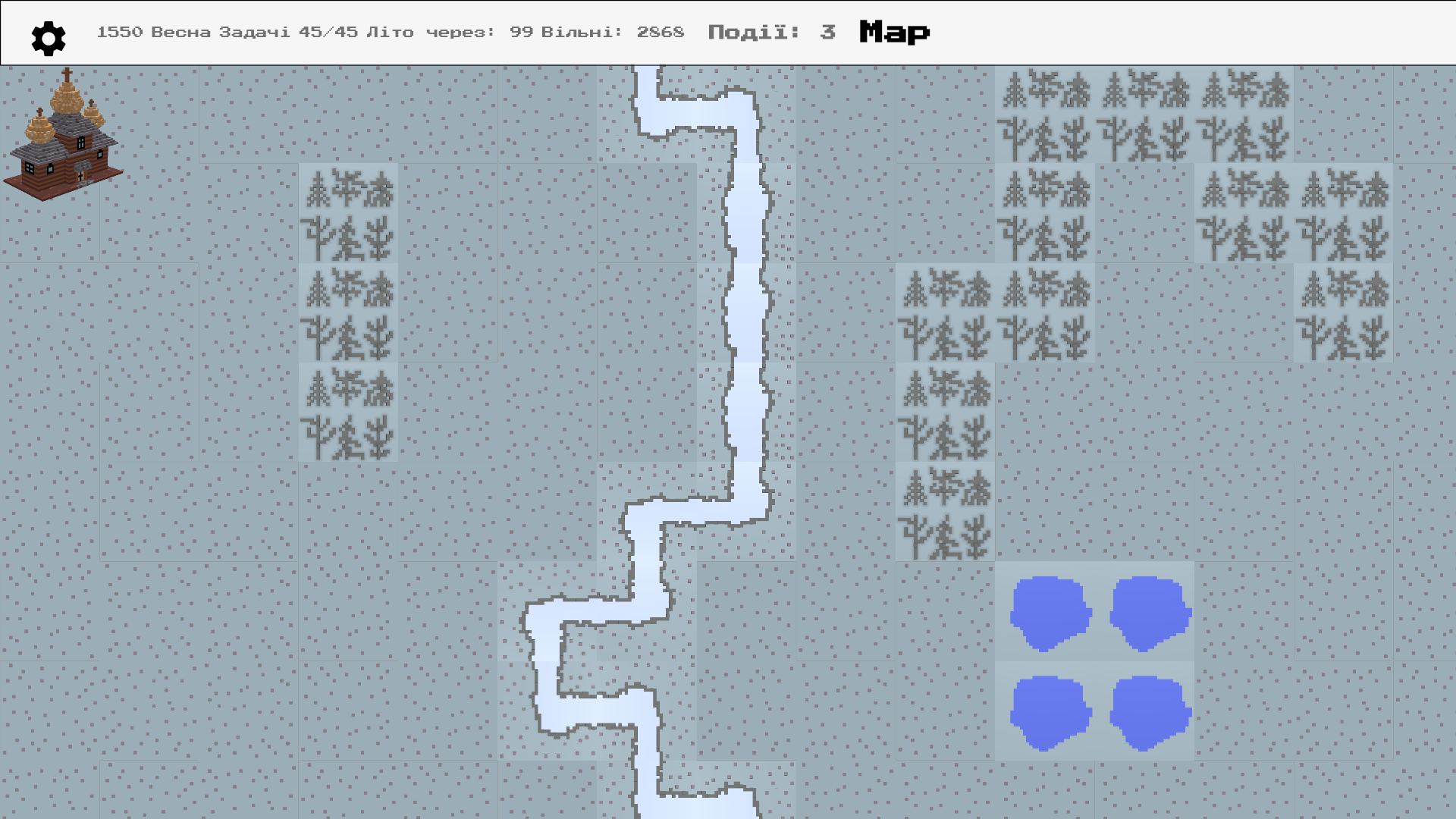
Final Result
The forest is added in different points and different shapes:
Implementation
Refactor previous methods
Before we start jumping into Forest, we need to enhance code written in previous part.
One of the things I did not like about it was that we directly accessed tiles list via indexes. We had to play with rows/columns/x/y variables and place them into correct spots.
With refactoring all manipulations with tiles is now done via special methods:
  MapTile tileAtPoint(Point point) {
    return tiles[point.y][point.x];
  }

  void setTileAtPoint(Point point, MapTile tile) {
    tiles[point.y][point.x] = tile;
  }

  void setTile(MapTile tile) {
    tiles[tile.y][tile.x] = tile;
  }
We no longer operate with pure x/y/row/col variables. All coordinates are instances of class Point (from dart:math).
For example, getting random point on map returns Point:
  Point _getRandomPoint() {
    var col = Random().nextInt(width - 1);
    var row = Random().nextInt(height - 1);
    return Point(col, row);
  }
With these enhancements the code looks less mathy and more OOPish.
Forest specifications
- Forest can occupy empty tiles (that are currently grass)
- It cannot occupy or cross the river
- Forest can grow in other not yet occupied tiles.
addForest method
Implementing these requirements is pretty straightforward given that you also already wrote some useful utility functions :)
  void addForest() {
    ForestMapTile forest;

    // amount of tries to pick the spot for forest
    var tries = 10;
    while (tries-- > 0) {
      var point = _getRandomPoint();
      var tile = tileAtPoint(point);
      if (tile.type != MAP_TILE_TYPES.GRASS) {
        continue;
      }
      // first tile of the new forest spot
      forest = ForestMapTile(x: point.x, y: point.y);
      setTile(forest);

      // with 75% change grow the forest in random direction
      while (willGrow(75)) {
        var nextPoint = _nextPoint(Point(forest.x, forest.y));
        var nextTile = tileAtPoint(nextPoint);
        if (nextTile.type == MAP_TILE_TYPES.GRASS) {
          forest = ForestMapTile(x: nextPoint.x, y: nextPoint.y);
          setTileAtPoint(nextPoint, forest);
        }
      }
      // forest growing is done
      break;
    }
  }
willGrow method is enhanced and allows to provide % for success as input argument
  bool willGrow(int chance) {
    var next = Random().nextInt(100);
    return next <= chance;
  }
Another useful method is _nextPoint. It returns a nearby point to the given input point:
Point _nextPoint(Point point) {
    var decision = leftDownRight();
    var nextX = point.x;
    var nextY = point.y;
    if (decision == 0) {
      nextY = nextY + 1;
    }
    if (decision == -1) {
      nextX = nextX - 1;
    }
    if (decision == 1) {
      nextX = nextX + 1;
    }
    // truncate out of bounds values back to point inside the map
    if (nextX >= width) {
      nextX = width - 1;
    }

    if (nextY >= height) {
      nextY = height - 1;
    }

    if (nextX < 0) {
      nextX = 0;
    }

    if (nextY < 0) {
      nextY = 0;
    }

    return Point(nextX, nextY);
  }
Adding forest to the map
Another method addForests is used to generate multiple forest spots:
  void addForests() {
    width.timesRepeat(addForest);
  }
timesRepeat is an Extension for int type:
extension TimesRepeat on int {
  void timesRepeat(Function f) {
    for (var i = 0; i < this; i++) {
      f();
    }
  }
}
Create map with river and forest
Now you can call addRiver and addForests methods to initialize map:
final WorldMap map = WorldMap(width: 20, height: 20)
    ..addRiver()
    ..addForests();
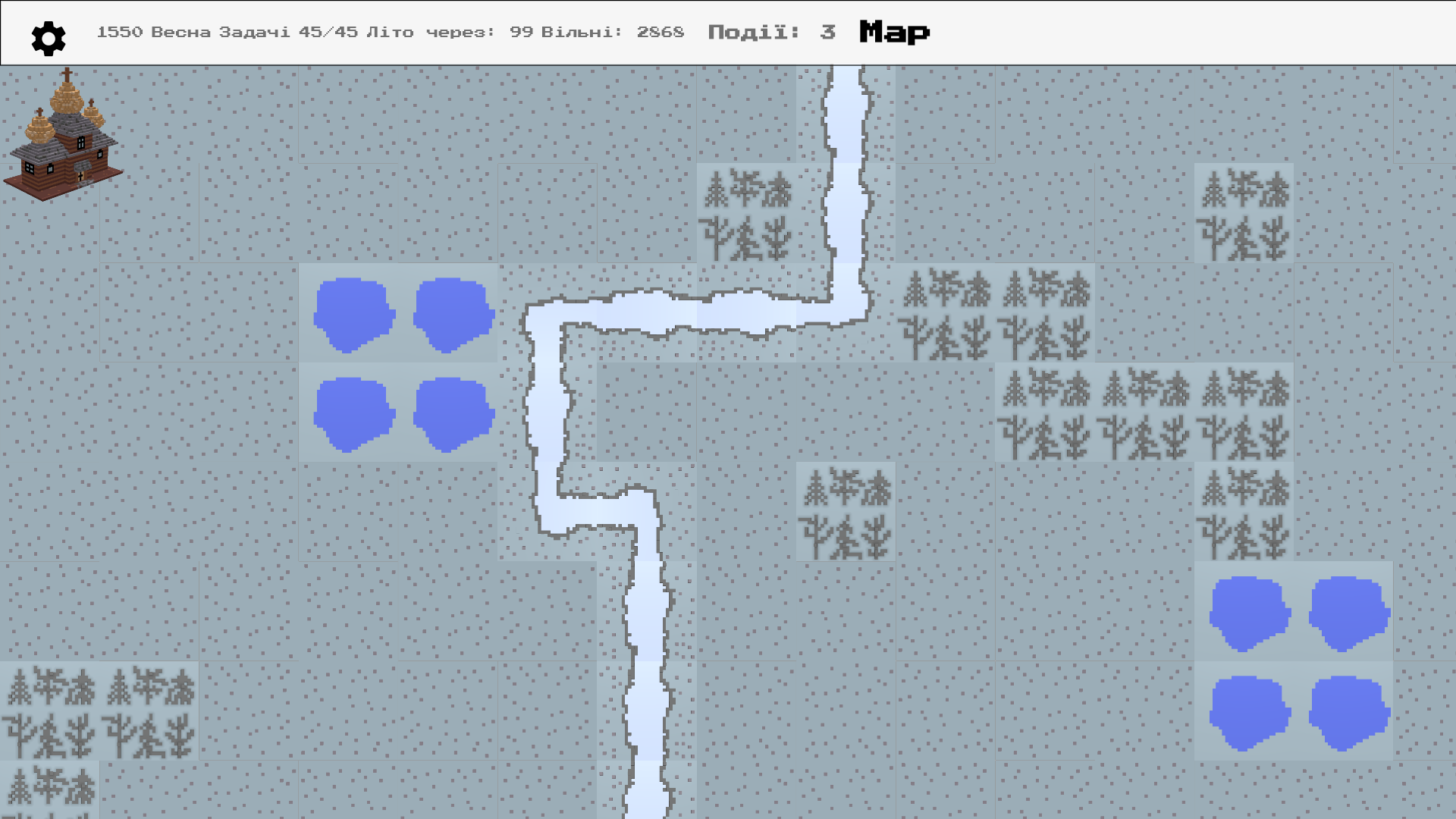
The map generated map looks something like this:
Next
In Part 3 we will generate lakes and further refactor existing functions. Stay tuned!
Comments
Join the discussionNo comments yet. Be the first to comment.
Building game with Flutter
This is the series related to my experience building game with Flutter and Dart. It is basically a diary. At first I implement feature and then add a post about it. https://locadederta.com/sloboda